
Care for the pets. Get help with the business side.
Leash & Key turns Claude, ChatGPT, Gemini or Grok into the office manager an independent pet sitter rarely has. Price walks, drop-ins and overnights from your real time, driving and costs, ask the right questions at every meet-and-greet, put your terms in writing, plan a day of walks with drive time and buffers built in, send owners a clear visit report, and handle keys, holidays and tricky messages calmly. Animal safety comes first in every answer.
Get Leash & Key Pet Care Business for $12 Price the visit
$12 once · card, Apple Pay or Google Pay · download in a minute
- One-time $12
- Instant email delivery
- 14-day refund
- Works in Claude, ChatGPT, Gemini and Grok
Price: 30-minute walk, one dog
12-minute drive · 5 miles · 5 minutes of keys and notes
Target pay: $30/hrFee: 3%Vehicle: 76¢ a mile
- Price$30 a walk, from $29.18 exact(47 min at $30/hr + 5 mi × $0.76 + $1 supplies) ÷ (1 − 3%)Price
- Extra dog$3 for a second dog in the same home5 extra minutes at your hourly rate, after the feeAdd-on
- IntakeVet, meds, triggers, escape habits, keysPlus a signed vet authorization with a spending limitAsk
- SafetyNo group walk until the dogs have metA calm on-leash meet-and-greet and the owners' OK firstCheck
- ReportWalked 30 min, pee and poop, water topped upA photo, how she seemed, anything the owner should knowSend
Everything that happens around the walk
One skill, six jobs. Claude, ChatGPT, Gemini or Grok picks the right one from what you ask.
Rates with the math
Walks, drop-ins and overnights priced from your time, drive, mileage and costs, plus holiday and extra-pet rates.
Intake and meet-and-greets
The questions to ask about vets, meds, behavior, escape habits, keys and emergency contacts, before the first visit.
Service agreements
Plain drafts covering services, payment, cancellation, keys, vet authorization and emergencies, for a lawyer to check.
Routes and schedules
A day of walks and visits ordered by area, with your drive times, buffers and safe group walk rules.
Report cards and messages
Clear visit reports, plus booking, reminder, holiday, late payment and review request messages.
Keys and lockboxes
A simple system for coded keys, lockbox codes, key logs and returning keys when a client leaves.
Ask it like you'd ask a sitter who has seen everything
It knows the business, and it knows when a pet needs a vet, not a message.
Not yet, and say why kindly
Never walk an unfamiliar dog with others before a meet-and-greet. A reactive dog in a group can start a fight, slip a collar or pull you over, and a group walk only works when every dog is calm with you and with each other.
What to offer instead
- A meet-and-greet at her home: how he walks, what sets him off, his collar or harness fit and his escape habits.
- Solo walks at a set price, timed to avoid busy routes and other dogs.
- A trial on-leash meeting with one calm dog later, only if he is relaxed, and only with every owner's written OK.
A message you can send
"Thanks for thinking of me! I start every dog on solo walks so I can learn what helps him feel safe. Could we book a 20-minute meet-and-greet this week? Solo walks are [your price], and we can talk about group walks once he's settled in."
Example answer from the full skill. Your answers depend on what you ask.
Honest about pet care
You know the animals. Leash & Key handles the words, the plans and the math.
- The vet decides healthIt never diagnoses or gives medicine doses. Signs like bloat, heatstroke, a blocked male cat or a swallowed toxin get a clear 'call the emergency vet now'.
- Animal safety firstEscape prevention, heat and cold guidance and group walk limits come before any booking.
- Math you can checkEvery price shows your time, drive and costs, so you can swap in your own numbers.
- Not legal, tax or insurance adviceBusiness licences, insurance, bonding and taxes vary by city, state and province. It lists the questions to ask.
Up and running in two minutes
No app to learn and nothing to install on your computer. It lives inside Claude, ChatGPT, Gemini or Grok.
Buy once
Pay $12 by card, Apple Pay or Google Pay. Your download link arrives by email in about a minute.
Add it to Claude, ChatGPT, Gemini or Grok
Upload the ZIP under Skills in Claude, or the unzipped folder in Gemini. It takes about 30 seconds. In Grok, upload the ZIP, or paste the included paste-in file into a new skill. In ChatGPT, add the included paste-in file to a Project.
Just ask
"Price a 20-minute cat drop-in 15 minutes from home." "Write my holiday cancellation policy." "Plan Tuesday's walks for 6 dogs between 10 and 3."
Pick your app for the exact clicks
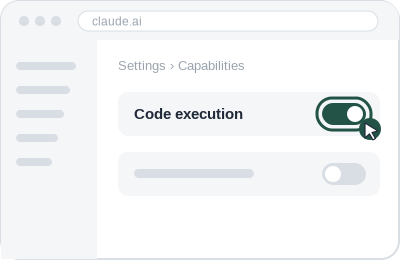
1In Settings, then Capabilities, turn on code execution.
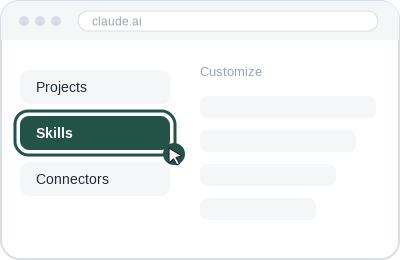
2Open Customize, then Skills.
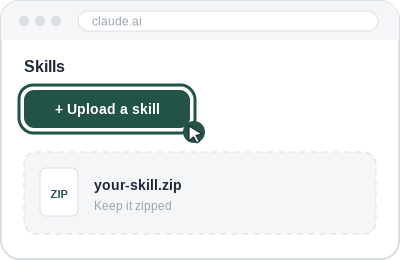
3Click +, choose Upload a skill, pick the ZIP. Keep it zipped.
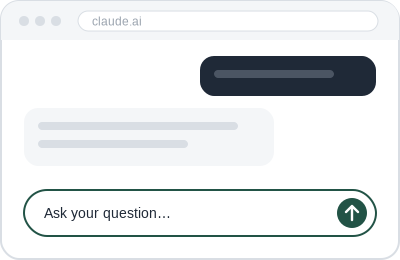
4Start a new chat and ask. Claude picks up the skill.
Works on every Claude plan, including the free one. Free plans have lower usage limits.
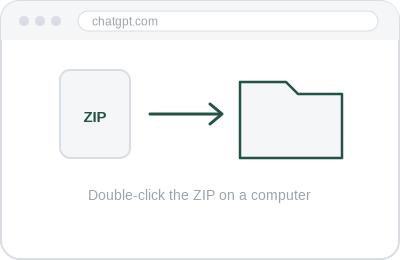
1On a computer, unzip the download and find ANY-AI-PASTE-VERSION.txt.
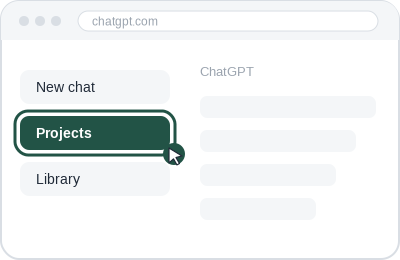
2In ChatGPT, open Projects and make a new project.
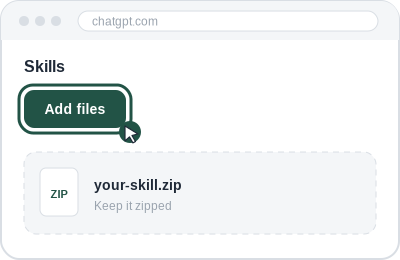
3Add the .txt file to the project. In its instructions, type: Follow the attached file.
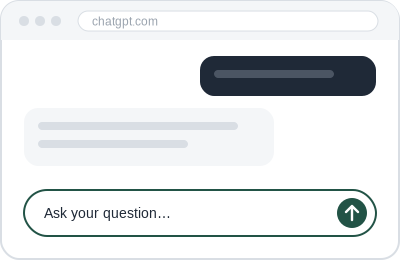
4Start a chat in that project and ask. On a Business, Enterprise or Edu plan, you can upload the ZIP under Skills instead.
Personal ChatGPT plans (Free, Plus, Pro) don't have a Skills page yet, so you use the paste-in version in a Project. On a Business, Enterprise or Edu plan, go to chatgpt.com/skills, choose Add, then Upload from your computer.
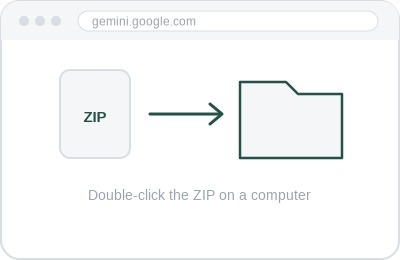
1On a computer, unzip the download. You get a folder.
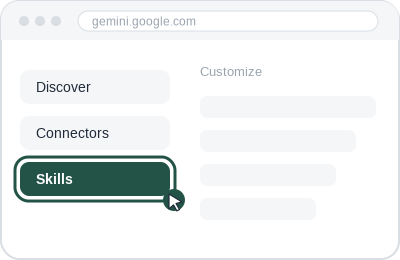
2At gemini.google.com, open Customize, then Skills.
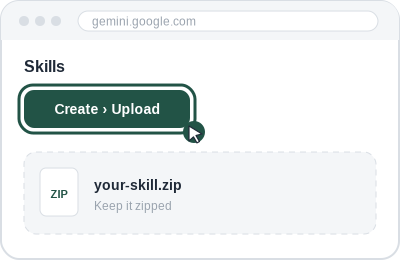
3Choose Create, then Upload, then folder. Pick the unzipped folder.
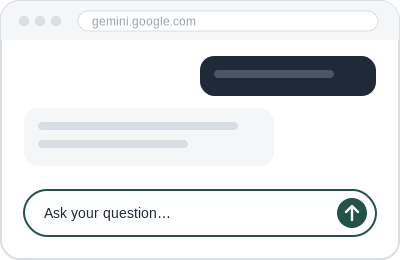
4Start a new chat and ask.
Gemini takes the unzipped folder, not the ZIP. Menus in Gemini change often, so names may differ slightly.
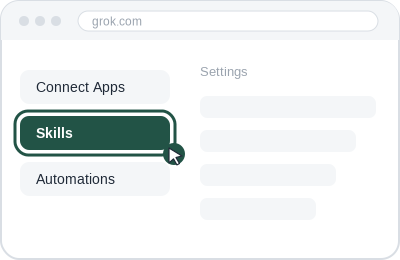
1At grok.com, open Settings, then Skills.
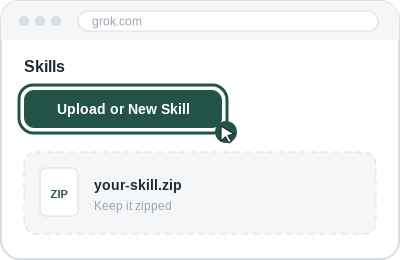
2If you see Upload, pick the ZIP. If you only see New Skill, use the next step.
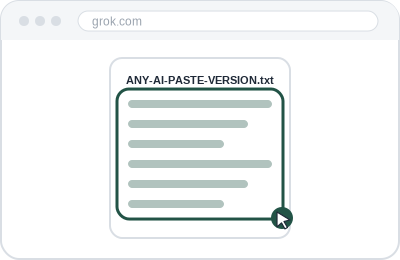
3New Skill: name it, then paste the text of ANY-AI-PASTE-VERSION.txt (below the line of equals signs) into Instructions.
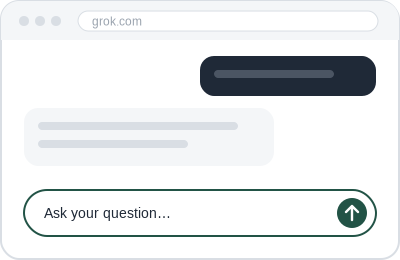
4Save it, start a new chat and ask.
Some Grok plans upload the ZIP; others show a New Skill form, where you paste the skill text in. Menus in Grok change often, so names may differ slightly.
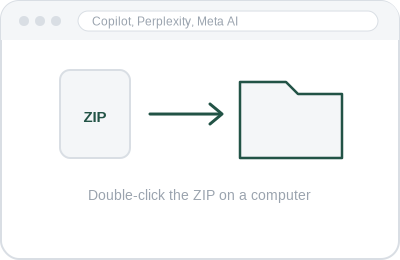
1No Skills page? Unzip the download on a computer.
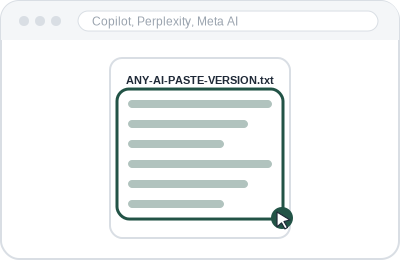
2Open ANY-AI-PASTE-VERSION.txt and copy everything.
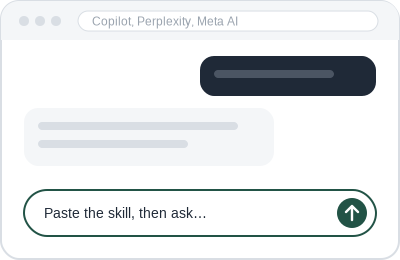
3Paste it into a new chat, then ask your question.
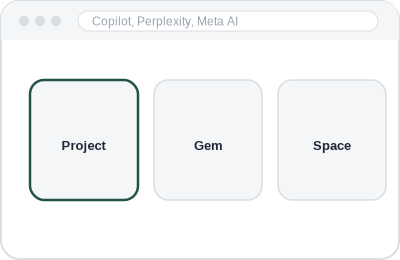
4To keep it on, add it to a ChatGPT Project, Gemini Gem or Perplexity Space.
Using Claude Code, Codex, Cursor or another coding agent? Unzip it into the skills folder, for example unzip leash-key-pet-care-business.zip -d ~/.claude/skills/
On your phone? Go ahead and buy: the download link goes to your email and works for a year. Adding a skill is easiest from a computer, in a web browser or the desktop app, so open that email there when you're ready. Want to try it on your phone today? Open the ZIP, copy ANY-AI-PASTE-VERSION.txt into any chat app, and ask.
Start with the free Client Intake
A small skill that builds a complete client intake form for one household and pet: contacts, vet and emergency plan, feeding and meds as the owner writes them, behavior, escape risks, home access and keys.
- Every question to ask at the meet-and-greet
- Vet authorization and emergency contacts
- Behavior, escape risks and home access in one place
Get Leash & Key Pet Care Business
Pay once, use it for every client and every pet. No subscription. Includes the free Client Intake too.
How to add it
Upload the ZIP under Skills in Claude, or the unzipped folder in Gemini (in Grok, upload the ZIP or paste the paste-in file into a new skill; in ChatGPT, add it to a Project), then start a new chat and try: "I'm a solo dog walker. I want to earn about $30 an hour before tax, I drive about 12 minutes and 5 miles between clients, and each walk takes 5 minutes of keys and notes. Price a 30-minute walk, a 20-minute cat drop-in and an overnight, and tell me what to charge for a second dog."
See the clicks for your app. Every download also comes with a paste-in version for any other chat, and a Start Here PDF.
Step-by-step guides with pictures: Claude · ChatGPT · Gemini · Grok
Leash & Key Pet Care Business
Rates, intake, agreements, routes, report cards, keys and client messages.
$12 one time
- Walk, drop-in and overnight rates with the math shown
- Holiday and extra-pet pricing
- Client intake and meet-and-greet questions
- Service agreement and cancellation drafts
- Daily route and schedule plans with group walk limits
- Visit report cards, key handling and client messages
- Updates for a year
Card, Apple Pay or Google Pay through Stripe. Taxes calculated at checkout. 14-day refund.
Giving it as a gift? Buy it, forward the email, and print a gift card.
See a real answer from the full skill
You ask: New client wants me to walk her reactive dog with two of my regular dogs to save money. I've never met him. What do I say?
Not yet, and say why kindly
Never walk an unfamiliar dog with others before a meet-and-greet. A reactive dog in a group can start a fight, slip a collar or pull you over, and a group walk only works when every dog is calm with you and with each other.
What to offer instead
- A meet-and-greet at her home: how he walks, what sets him off, his collar or harness fit and his escape habits.
- Solo walks at a set price, timed to avoid busy routes and other dogs.
- A trial on-leash meeting with one calm dog later, only if he is relaxed, and only with every owner's written OK.
A message you can send
"Thanks for thinking of me! I start every dog on solo walks so I can learn what helps him feel safe. Could we book a 20-minute meet-and-greet this week? Solo walks are [your price], and we can talk about group walks once he's settled in."
New to AI skills?
Leash & Key is a skill: a set of expert instructions you add to your own Claude, ChatGPT, Gemini or Grok account, so it answers like a pet sitting business owner and trainer who knows the craft.
- Using Gemini? Unzip it and upload the folder on its Skills page. Using Grok? Under Settings, Skills, upload the ZIP or paste the paste-in file into a new skill. Using ChatGPT? Add the included paste-in file to a Project.
- New to all of them? Claude is an AI assistant made by Anthropic. Make an account at claude.ai: skills work on every Claude plan, including the free one, with code execution turned on in Settings, Capabilities.
- Try the free Client Intake skill first. If you like it, the full skill is one purchase.
Not ready for an AI app? The free pet sitting rate calculator on this site works in any browser, no account needed.
Free pet sitting tools
No sign-up, they run in your browser.
Made by Nic Hubert, What If Labs
I run What If Labs from British Columbia, Canada. I build each skill with AI help and test it on real questions, and a separate reviewer checks it before it goes on sale. If it doesn't do what this page says, email me at hello@whatiflabs.ai and I'll fix it or refund you.
No reviews yet: this store is new. Tell me how it went and I'll use it to make the skill better.
Questions
Is it for dog walkers or pet sitters?
Both. Solo dog walkers, drop-in and overnight pet sitters, house sitters with pets, and small teams. Tell it how you work, where and for which animals, and it prices and writes for that.
Can it tell me what to do if a pet seems sick?
It tells you which signs are emergencies, like a swollen belly with retching, heatstroke, a swallowed toxin, a male cat straining to pee or trouble breathing, and that the answer is to call the owner's vet or an emergency vet now. It does not diagnose, and it never gives medicine doses.
Will it tell me what other sitters in my area charge?
No, it doesn't know local prices and won't guess. It prices from your own time, driving and costs, and you can compare that with what you see locally.
Does it know the licence and insurance rules where I work?
No. Business licences, permits for group walks, insurance and bonding vary by city, state and province. It gives you the questions to ask your city, an insurer and an accountant.
Does it work with my booking app?
Not directly. Copy the agreements, intake forms, report cards and messages into your booking software, email or texts.
What do I need to use it?
A Claude, ChatGPT, Gemini or Grok account. In Claude it works on any plan, including the free one, with code execution turned on (Settings, Capabilities). Free accounts have lower usage limits, so long planning sessions go further on a paid plan. It works in Claude on the web, the desktop app and Claude Code. In Gemini and Grok, upload it on the Skills page. In ChatGPT, personal plans (Free, Plus, Pro) don't have Skills yet, so you add the included paste-in file to a ChatGPT Project; Business, Enterprise and Edu plans can upload the ZIP under Skills. Coding agents that read SKILL.md files work too. Using Copilot, Perplexity, Meta AI or another chat with no Skills page? Every download includes a paste-in version (ANY-AI-PASTE-VERSION.txt) that works in any AI chat.
What if it doesn't work for me?
Email hello@whatiflabs.ai within 14 days of buying and we'll refund you in full. No forms, no questions.
How is this different from just asking an AI?
A general AI answer is often vague or skips steps. The skill gives your AI an expert's method: what to ask you first, the checklists and calculations to run, and the mistakes to warn you about. You get consistent, specific answers instead of a different guess each time.
Do I pay every month?
No. It's a one-time price, and updates to the skill are free.
Can I get a refund?
Yes. Every purchase comes with a 14-day refund, no questions asked. Reply to your receipt email and we'll take care of it.
What if it gets something wrong?
It shows its working, so you can check numbers and dates. Tell it what's off and it will correct itself. For anything where a mistake costs money or safety, double-check before you act, as you would with any advice.
Is my information private?
The skill runs inside your own Claude, ChatGPT, Gemini or Grok account, and we never see your chats. When you buy, Stripe handles the payment and we keep your email and order so we can send the download. The terms and privacy page has the details.